

SaaS Pricing Page SEO: Clear Prices, Limits, and Billing Terms
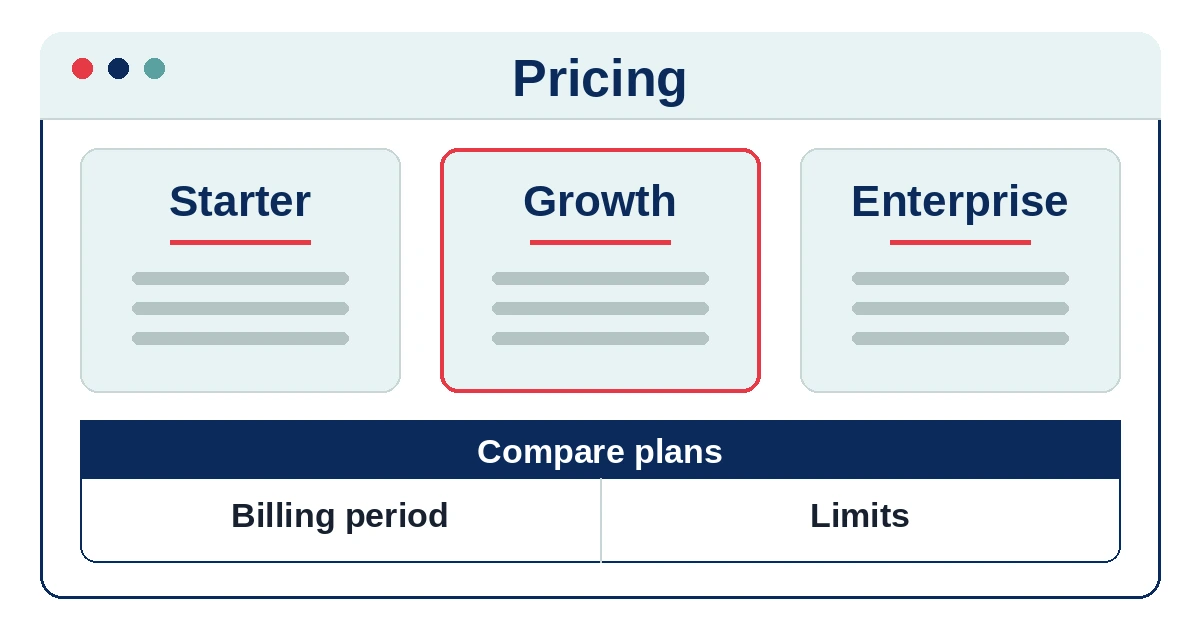
SaaS pricing page SEO makes a pricing page clear for buyers, search engines, and AI answers. It puts prices, limits, billing terms, and renewal rules in plain readable text on the page. It keeps those facts current and honest, and gives the demo page a separate clear job.
Most buyers arrive already asking what a plan costs each month. This guide shows how to answer that question, state each fact on the page, and keep the page current over time.
What SaaS pricing page SEO means
The work is three checks: find the facts, read them in plain words, and trust that they are current. SaaS means software sold as a subscription.
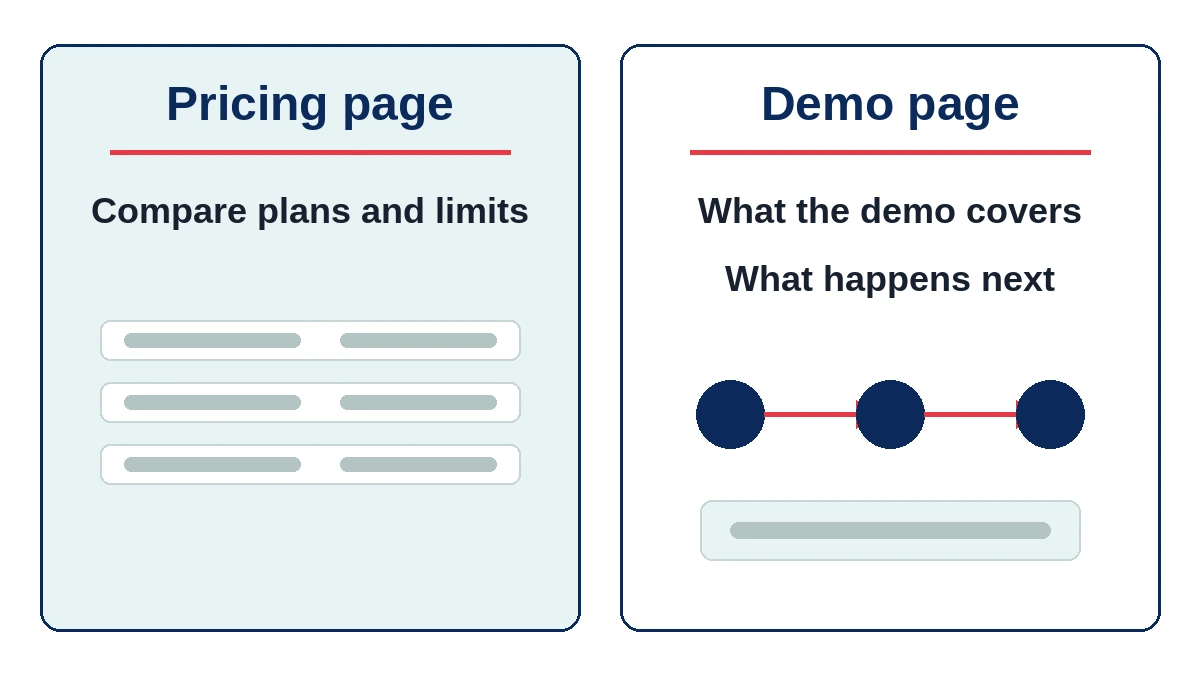
The pricing page and the demo page have different jobs. The pricing page helps a buyer compare plans, limits, and billing terms. The demo page helps a buyer judge a guided walkthrough.
Buyers say this clarity matters when they choose a plan. TrustRadius found clear pricing was the top buyer wish for four years running since 2023. That survey covered 1,862 buyers and 444 vendors in January 2026.
What buyers search before they choose a plan
Buyers rarely stop at one broad search phrase for pricing. They ask smaller questions about cost, plans, limits, and fit.
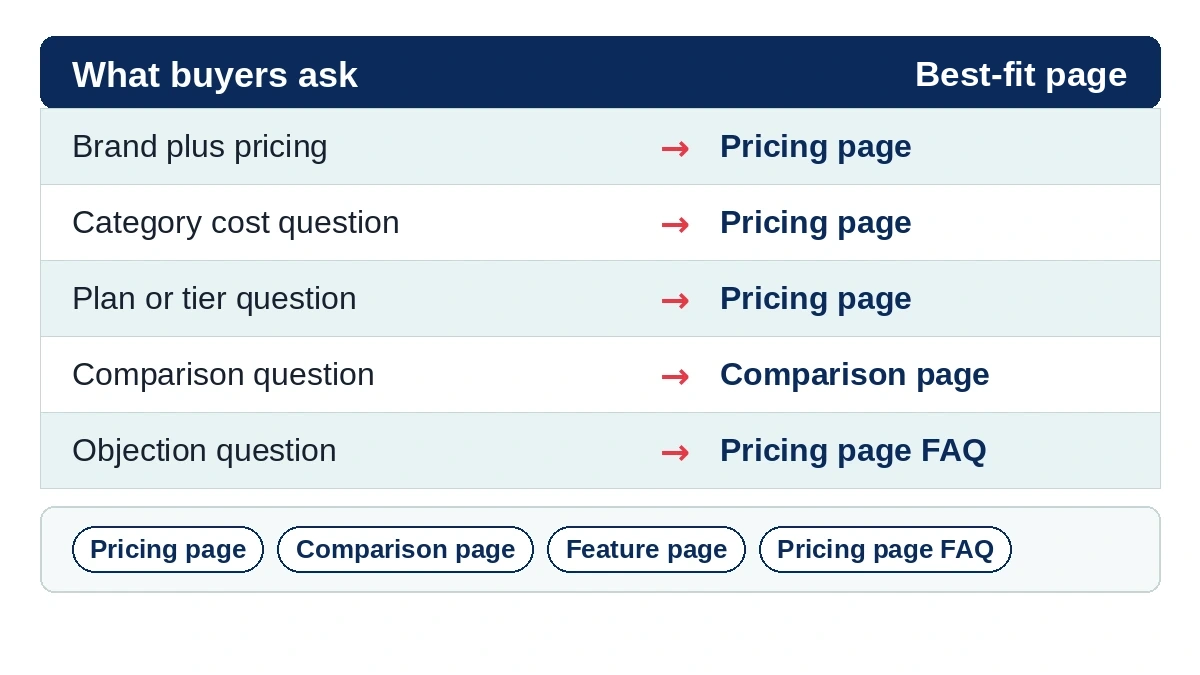
Each question type needs a best-fit page, not a new page for each wording. A thin page repeats facts, splits attention, and helps no buyer decide. Map each question to the page that answers it fully, then link the pages.
| What the buyer asks | Best-fit page | Pricing page role |
|---|---|---|
| Brand plus pricing | Pricing page | Show plans, billing terms |
| Category cost question | Pricing page | State the billing unit |
| Plan or tier question | Pricing page | Name tier and limits |
| Comparison question | Comparison page | Link out; do not rebuild it |
| Objection question | Pricing page FAQ | Answer in plain text |
Sub-questions matter because buyers and AI answers break a price question into parts. See the query fan-out method for how to cover those parts so AI answers can cite them.
Make the pricing model clear in plain words
The billing unit comes first: the thing the buyer is charged for each period. Name it in buyer words: per seat, workspace, usage unit, or a mix. If the unit changes by tier, say so next to each tier.
Give each tier a name, the buyer it fits, and what changes from the tier below. Starter, Growth, and Enterprise are the generic tier labels here. Do not let a tier name stand for a limit, feature, or support promise.
- Billing period: State if billing is monthly, yearly, or another stated cycle.
- Renewal: State when renewal happens and what to do first.
- Taxes and fees: State the treatment on each tier.
- Limits: State caps and overage treatment in plain words.
State free plan, time-limited trial, and demo in exact words. A free plan lasts, a trial ends on a stated date, and a demo is a walkthrough. For each, state eligibility, limits, duration, and what happens when it ends.
Put prices and limits in readable HTML
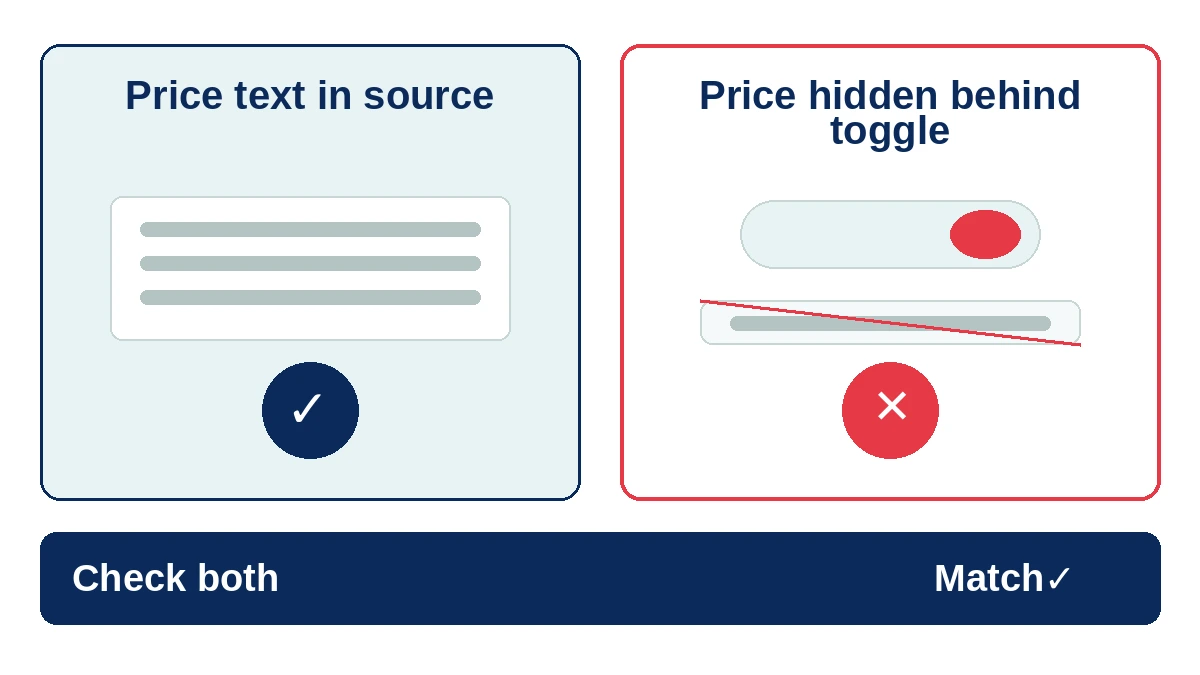
Put prices, plan names, features, limits, and billing terms in the initial HTML as text. Initial HTML is the page code sent first, before scripts build the rest. That lowers risk: a price needing scripts can stay hidden.
Watch for traps that hide the price. Prices in images, scripts, or a calculator alone are easy to miss. A toggle holding only one billing period can hide the other just as fully.
Check view source and rendered HTML. Compare the price and limits in the initial HTML with the rendered page in the browser. Record where each price appears, and fix the page so facts match in both.
Build the comparison table buyers can decide from
A real HTML table works best for the comparison, not an image. A real table lets buyers and screen readers, tools that read pages aloud, read each row the same way. Choose rows that change a decision, not rows that fill space.
Use buyer words for feature names, with limits beside each feature. State exclusions, caps, and add-ons in the table, not in linked terms. Never mark a feature included when it needs an add-on or separate agreement.
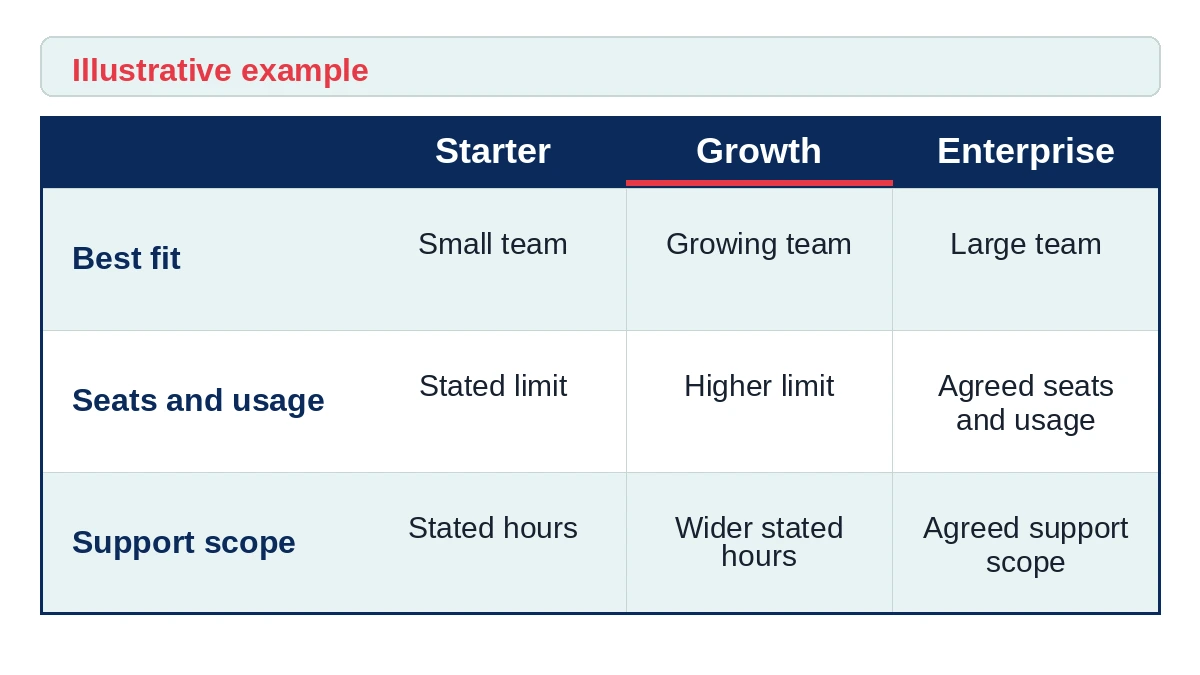
This table is illustrative teaching material, not an offer for a real product.
| What changes | Starter | Growth | Enterprise |
|---|---|---|---|
| Best fit | Small team | Growing team | Large team |
| Seats and usage | Stated limit | Higher limit | Agreed seats and usage |
| Support scope | Stated hours | Wider stated hours | Agreed support scope |
Check the table on a phone, where wide tables force sideways scrolling. Keep headings visible and rows short.
Then test with keyboard navigation only. If keyboard users cannot reach a cell, the table fails even when it looks neat.
Answer the questions that block a trial or demo
Build the pricing page FAQ from real sales and support questions, not guesses. Start each answer direct, in plain text, with the key fact first. Keep answers current, so the FAQ never states an old limit or term.
- Plan changes: State how a buyer moves tiers and when it starts.
- Overage: State what happens past a limit and the extra charge.
- Trial end: State what happens at trial end and the next choice.
- Renewal and cancellation: State renewal timing and how to cancel.
- Fit by team size: State which team size fits each tier.
Some buyers need procurement, the buying process, and security facts before a trial. Link to security, implementation, and support pages with link text that names the destination page. State only what varies by plan, where to confirm it, and give no contract detail.
These questions cover buying decisions, while the FAQ at the end of this article covers search and ranking questions.
SEO for the demo page
A demo page must answer four questions before a buyer shares contact details. State what the demo covers, who it fits, what to prepare, and next steps. Beside the form, address doubts about whether to book.
Do not copy the pricing page onto the demo page, or the two pages answer the same buyer question twice. Give the demo page a plain title, heading, and URL naming the demo. Link pricing to demo, and demo back to pricing and relevant feature pages.
Pass the plan tier with the demo request, so sales knows which tier the buyer viewed. Give every form field a stated use: routing, prioritizing, or preparing for the call. Drop a field with no stated use.
One study of 80 B2B SaaS firms and over 31 million visitors puts the two pages in context. Pricing pages averaged 3.8 percent conversion to form submission, and demo pages averaged 5.5 percent conversion to form submission. Periods ranged from one month to 18 months, so treat averages as context, not a promise.
Schema markup without guessing
Google names no required schema type, a label set for page facts, for a SaaS pricing page. Google says to use the most specific type that fits. Treat the choice as judgment: software plus sales copy leaves it unsettled.
SoftwareApplication rich results, enhanced listings in search, need a name, price, and rating or review. Product snippets need a name plus a review, rating, or offer. With no genuine visible rating, invent none.
Merchant listings need a price above zero for purchase. Do not use AggregateOffer for tiers, since it covers multiple sellers. FAQPage is valid vocabulary, but FAQ results no longer appear from May 7, 2026.
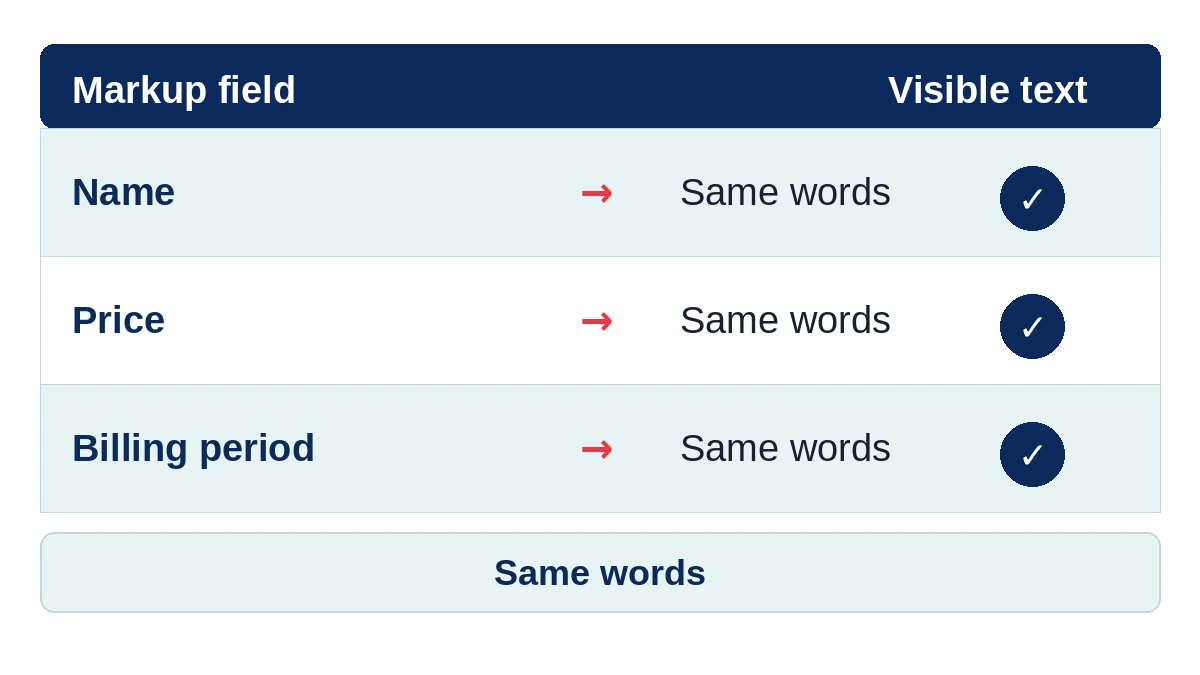
Markup, code that labels those facts, must match visible facts exactly, including currency and billing period. Recheck after every price change, and invent no price when none is published. Valid markup promises no rich result or ranking gain, and AI features need no special file.
Custom, usage-based, and enterprise pricing
Some products cannot publish a fixed price, since cost depends on use. State the model instead, with the variables that drive a quote. Drivers can include users, usage, support, deployment, and contract length, only where relevant.
Publish the model, buying path, and facts a conversation needs. State minimums, overage treatment, and how a usage estimate is worked out. Never show a low entry price that fits only a narrow setup, not most buyers.
Links, one URL, and stale copies
Link in from product, feature, comparison, and blog pages, where buyers reach the pricing page. Link out to feature, security, implementation, and support pages. Use one canonical URL, the main address for the pricing page, and link to that address.
Point regional copies to the chosen canonical address, and let no script change it. After a price change, search the brand plus plan name for old prices elsewhere. Check review sites, directories, old search results, and linked comparison pages, then ask each site owner to fix the old price.
Keep the page current: one source of truth and an owner
One source of truth holds the plan names, units, billing, limits, and features. Name one owner across product, sales, and marketing, so every change has an owner. Log what changed, why, the effective date, and the pages changed.
Update page, FAQ, markup, and linked pages together, from one record. For a retired plan, decide if the old URL stays, redirects, or is archived. After each change, repeat the checks for stale copies and for markup that matches the text.
For the AI check, search for the brand plus plan name and compare prices with the source of truth. Fix the page first, then repeat the search to confirm the stale copies are gone.
Measure the page without inventing a result
Record a dated baseline before changing the page. Read Search Console queries for the pricing URL: impressions, clicks, and position. Pair those figures with trial starts and demo requests from the same traffic, not clicks alone.
Change one thing at a time, so a move in the data links to that change. Do not credit an SEO edit for a shift a campaign or price change caused. Use the compare method for a drop before you credit the pricing change.
Checklist: pricing page SEO checks in order
- Map each query to one page, with no duplicates.
- State billing unit, period, renewal, and limits in plain words.
- Check price text in initial HTML against the finished page.
- Rebuild the comparison table with rows that change a decision.
- Answer blocking sales and support questions in the FAQ.
- Give the demo page its own title, heading, and pricing links.
- Match every markup field to visible text, then retest after changes.
- State model and quote drivers where no fixed price fits.
- Confirm one canonical URL and check stale copies after each change.
- Record a baseline, change one thing, and read downstream outcomes.
Start with the pricing page, and fix buyer-facing facts first. See how the work fits a wider SEO approach on the homepage.
FAQ
Should a SaaS pricing page be indexed?
Yes, keep it indexed when it answers buying questions with current facts. A page must be indexed and snippet-eligible, able to show a preview, to appear in AI features, with no promise.
Can a pricing page rank if prices are custom or behind a sales call?
Yes, it can rank for fit and model questions with no published price. Publish the model, quote drivers, and buying path. Invent no price in text or markup.
Do prices need schema markup to be found?
No, schema markup is not required to be found in search or AI features. Markup must match visible facts, and valid markup promises no rich result or ranking gain.
Want help applying this to your site? Contact Imran Ali to book a free 30-minute meeting.