

Content Pruning After an Update: What to Delete, Merge, or Keep

Content pruning SEO gives each page one decision after diagnosis, and delete is the last action. The decision is keep, merge, or delete, with one reason recorded for each page. Pruning is a page-by-page review of existing pages, not bulk deletion.
After an update, a traffic drop does not prove that one page was singled out. This article shows the fit test, the clear criteria, the three actions, and the checks after pruning.
What content pruning is, and what it is not
Content pruning is a page-by-page decision about existing pages on a site. A core update is a broad change to search systems, and it does not target single pages.
Thin content is a plain language term for a page with too little useful substance for its topic. Duplicate content means two or more pages whose main text says much the same thing. Near-duplicate content describes pages that repeat each other so closely that keeping both adds little for the reader.
Noindex is a rule that keeps a page out of search results while the page stays live for direct visitors. A smaller site is not better by itself, and any gain comes from pages that remain accurate, complete, and distinct. That last point is the method used in this article, not Google wording.
| Pruning is | Pruning is not |
|---|---|
| Page-by-page decision | Bulk deletion |
| Check of demand, fit, value | Ranking tactic alone |
| Fix for overlap, weak pages | Rewrite of all pages |
| Last resort, unsalvageable pages | Removal for age alone |
When pruning fits after an update, and when it does not
Pruning fits only after diagnosis, when the cause type is known at least in outline. Rollout means the period when an update is being released. Judge a rollout complete only when the Search Status Dashboard shows an end date.
Check the Dashboard, and note the start date and the end date shown there. For a full Search Console review, Google advises waiting until seven days have passed after a core update ends. That wait rule is for judging, and it is not a promise that traffic will return.
Rule out other causes before pruning, including technical issues, security issues, and manual actions. A manual action means a human reviewer found pages that do not meet spam policies. Check the Security Issues report and check for tracking faults and data lag before any verdict.
| Situation | Fit or wait | Check first |
|---|---|---|
| Diagnosis complete | Fits | List pages to judge |
| Rollout shown complete | Fits | Note start, end dates |
| Click loss pattern alone | Wait | Click loss test first |
| Recent data incomplete | Wait | Allow for data lag |
| Own changes not ruled out | Wait | Change record |
| Manual, security not ruled out | Wait | Reports named above |
For the full post-update diagnostic, read Why Did My Traffic Drop After a Google Update? A Diagnostic Checklist. That article owns the diagnostic checks, and this article starts only after diagnosis is recorded.
For the full click loss test, read the article on a traffic drop versus AI Overview. A click loss pattern must not be treated as a ranking loss.
For the audit routine and freeze context, read The 7-Day Traffic Drop Audit: What to Check Before You Change Anything. Pruning waits until diagnosis is recorded, and no audit day is repeated here.
How to decide: the keep, merge, and delete criteria, and the decision table
Read the criteria together, in the same order for every page, and let no single signal decide alone. That rule reflects the method used in this article, and it applies to every row in the decision table below. A backlink comes from a different site and points to a page on this site.
- Search demand: Check demand and trend, and never judge by one signal alone.
- Intent fit: The page serves the intent behind its main search terms.
- Overlap: Another page serves the same intent.
- Accuracy: Check that facts are correct and that a fix is realistic.
- Link value: Check links from other sites and links from this site.
- Other value: Check for leads, sales support, and help for users.
- Age and window: Check age, the data window, gaps, and seasonal patterns.
A redirect sends visitors and search engines from an old address to a new address. When duplicate pages exist, Google picks one address as most representative to stand for the whole set in results. Google may choose a different page, so a canonical tag is a hint, not a rule.
| Evidence pattern | Action | Technical step | Check first |
|---|---|---|---|
| Fit holds, distinct, demand or value | Keep | Refresh, protect, keep URL | Fix realistic |
| Same intent, useful material each | Merge | Move material, rewrite, redirect | Keeper clear |
| Duplicates must go, nothing to move | Redirect only | Permanent redirect, closest page | Nothing to move |
| Needed by users, not in search | Noindex | Add noindex, keep live | Can be crawled |
| No demand, no links, no value, no fit, no replacement, no fix | Delete | Remove page, fix links | All checked |
Put each page on its own row with its chosen action and the reason behind that choice. Record a page with mixed evidence as mixed, and name the check that would separate the two possible decisions. That one-row rule reflects the method used in this article, and it stops a page from getting two actions at once.
How to judge each page with Search Console and Analytics data
Impressions mean how often a link to the site was seen, or could have been seen, in search results. Clicks mean how often a user clicked a link from search results to a page on the site. Click-through rate (CTR) means the number of clicks divided by the number of impressions.
Average position means the average place of the topmost result across all queries, whether for the site or for one table row. Position alone can mislead, so never judge a page on one position number.
Open the Performance report, and read the Pages view for the pages that lost the most traffic. Record clicks, impressions, average position, and the search terms that bring traffic to each page. Start with the usual three-month view, then open Last 16 months to spot a yearly pattern.
In Analytics, record landing page sessions for each page, if the reader has the sessions field. Record internal and external links from the Links report, and note that the report shows a sample.
Use the Compare tab to compare the drop period with a similar period. Check the Data Anomalies page, and allow for data lag, because the newest data can still change.
For the full comparison method, read Search Console Comparison Reports: Finding Exactly What an Update Took. That article owns the comparison walkthrough, and this article uses only the summary above.
| Page and queries | Clicks, impressions, position | Links, sessions, value | Decision and reason |
|---|---|---|---|
| Page, main terms | Clicks, impressions, position | Links, sessions, value | One action, one reason |
| Next page, same way | Same fields, every page | Note mixed evidence here | Record mixed if mixed |
Keep: refresh and protect the pages that still earn their place
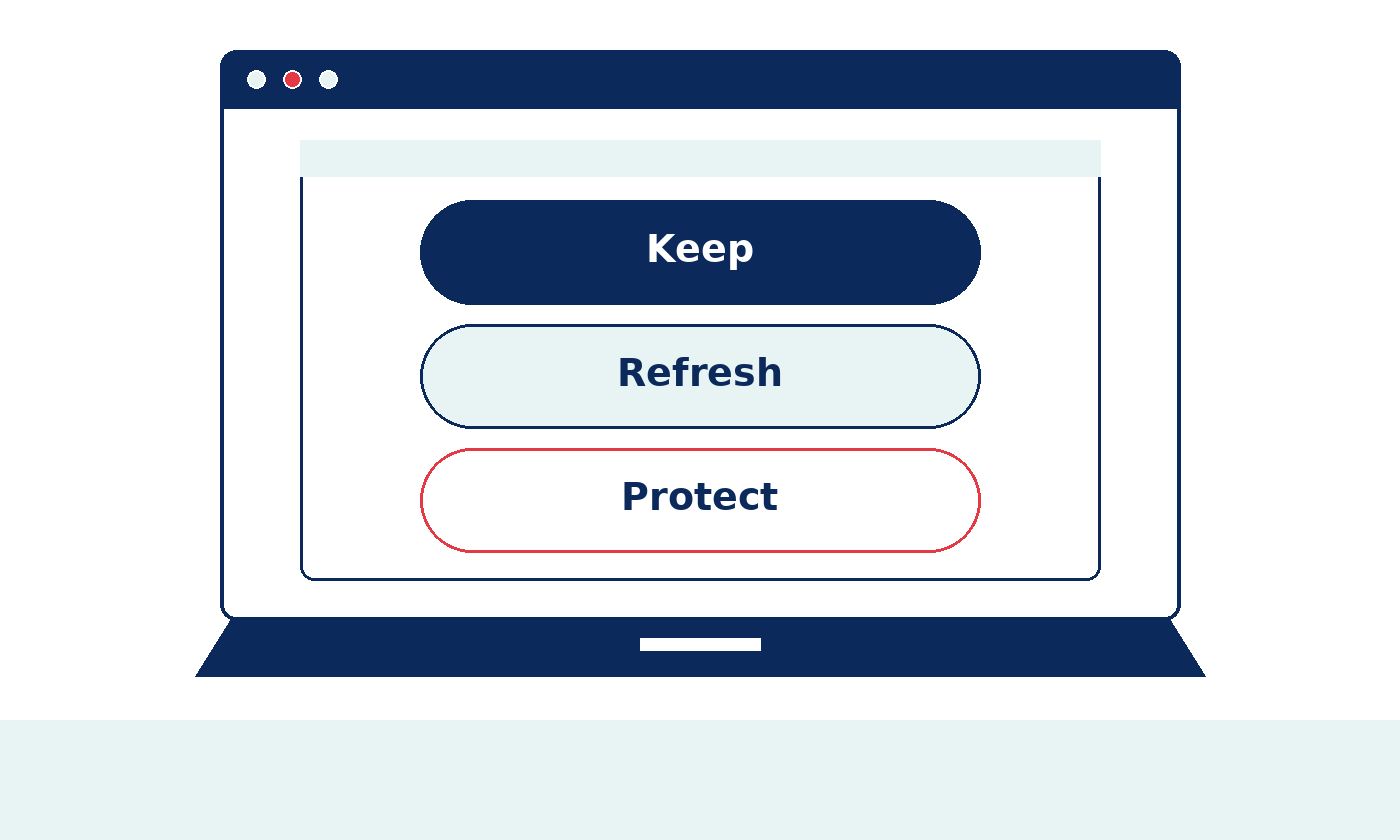
Keep a page when intent fit holds, accuracy can be fixed, and evidence shows demand or value. Protect a performing page, and do not rewrite it in full without a reason tied to the evidence.
Fix only what is wrong, update facts only where the content changed in substance, and keep useful sections in place. Changing a date alone is not a refresh, and word count alone does not prove thin content. Strengthen internal links to the kept page, keep the URL, and record the reason.
- Fix facts: Fix only the facts that changed in substance.
- Keep URL: Keep the same URL, unless a reason requires a change.
- Add links: Add internal links to the page from relevant pages.
- Record reason: Record the keep decision with its evidence and reason.
Merge: combine overlapping pages into one stronger page
Merge fits when pages serve the same intent, each holds useful material, and no page covers the topic fully. Merge is distinct from redirecting only, where no content is moved to the keeper page.
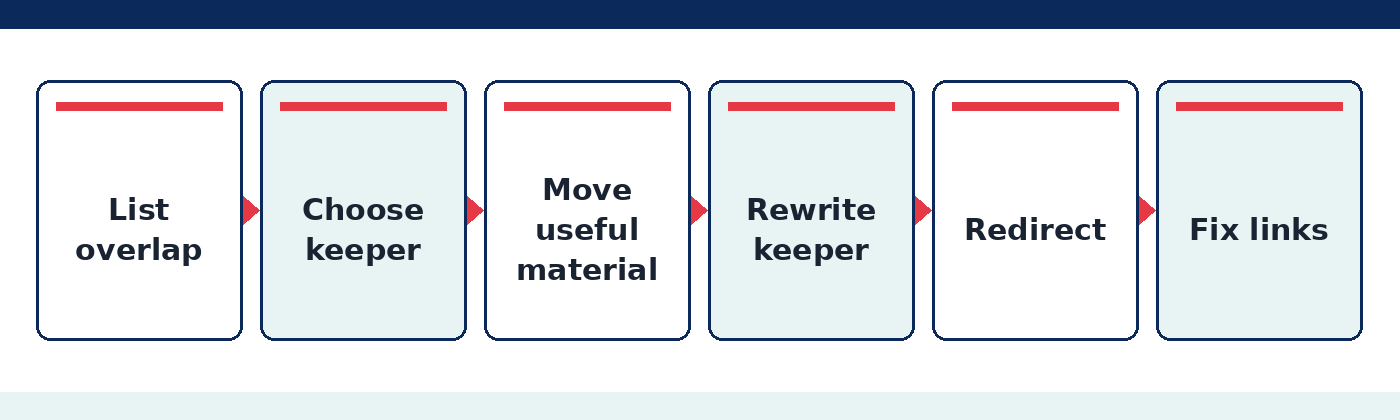
- List overlap: Start by writing down all pages that answer the same search need.
- Choose keeper: Pick the surviving page based on answer fit and ease of upkeep, and use links and past results only as backup checks.
- Move useful material: Carry over only the parts that still help the reader and add something new to the surviving page.
- Rewrite keeper: Rebuild the surviving page so all kept parts read as one smooth and complete answer.
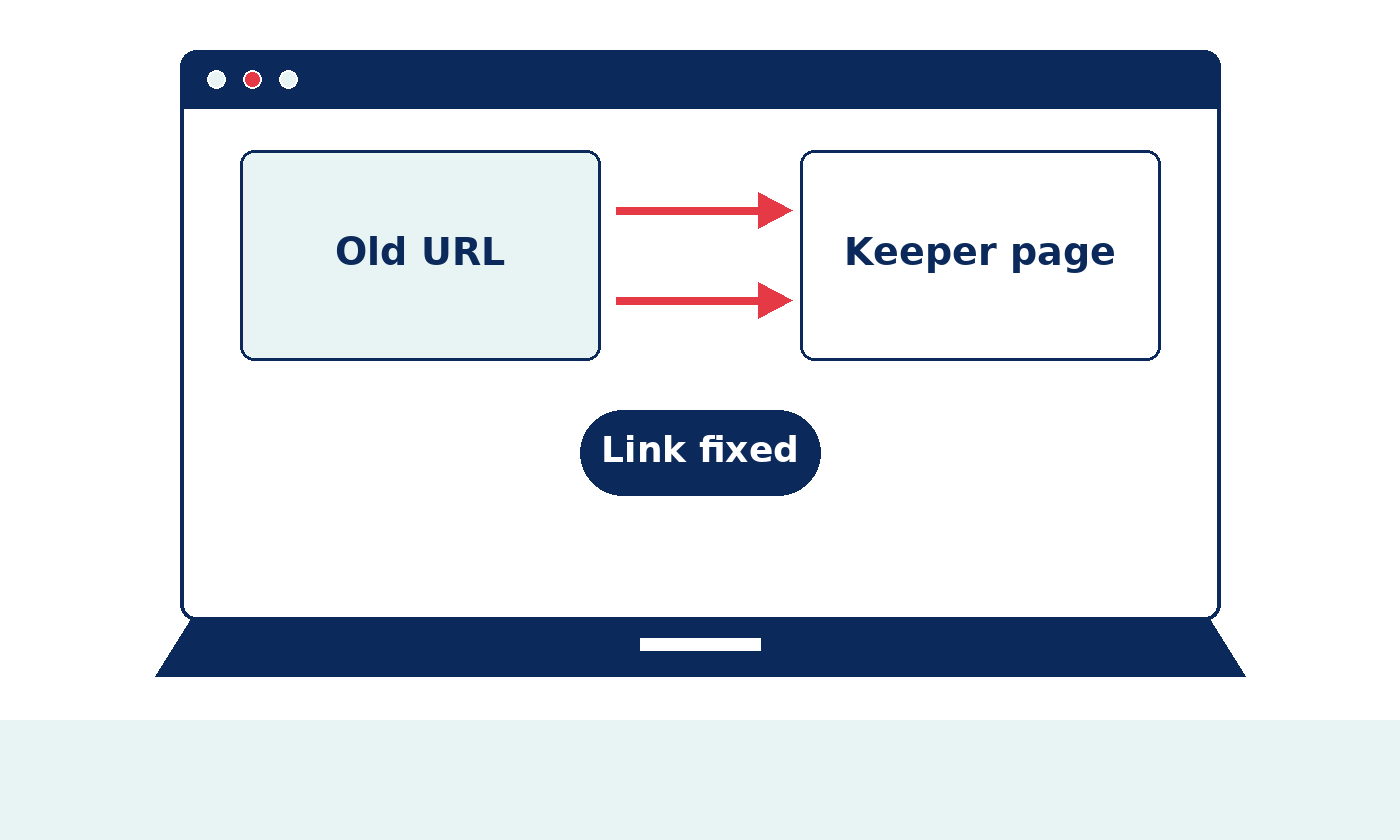
- Redirect: Confirm that the surviving page loads as a live page with a canonical tag that refers to itself. After that check, send each retired address straight to the surviving page.
- Fix links: Point every internal link at the surviving page itself, and remove retired addresses from the sitemap.
A sitemap is a file that lists the preferred URLs for search results, and those URLs are the canonical URLs. In this article, use a canonical tag for technical duplicates that must stay live. For editorial overlap, merge the pages and redirect the retired URLs to the surviving page.
Use a permanent redirect from the server for each retired URL. In this article, send each retired address to the nearest fitting page, and do not use the homepage as a routine fallback. Avoid redirect chains, and point each retired URL directly at the final live URL.
For map decisions made on paper before publishing, read the article on how to create a topical map. A merged keeper should fit into a clear topic structure, and no map step is repeated here.
Delete only when a page cannot be saved, and use noindex as a separate reversible choice
Treat deletion as the final option, for material that Google describes as beyond saving. Check each delete condition in turn, and do not assume a condition from one weak signal alone. In this article, delete only when there is no demand, no links, no value, no fit, no replacement, and no fix.
- Record the decision and the reason, before any page is changed.
- Check backlinks and internal links first, and note links that would be lost.
- Choose a redirect only if a replacement page with similar content exists.
- Remove the page from the sitemap and from internal links.
- Log the change with the date, the URL, the action, and the reason.
Noindex leaves the page open to visitors while taking it out of search results once crawlers have read the rule. Use noindex for pages that serve users, but that searchers do not need to find. Removing the rule can undo the effect after the page is crawled again, while deleting is harder to undo.
Do not block the page in robots.txt, because a blocked page hides the noindex tag from crawlers. Edit robots.txt to unblock the page, so crawlers can see the tag.
When no close replacement exists, let the address answer with a 404 Not Found or a 410 Gone status. A deleted page that shows an error message but still returns a 200 success code is a soft 404 error. Check the returned code with the URL Inspection tool, and fix any page that returns the wrong code.
| Action | What stays live | In search results | Can be undone |
|---|---|---|---|
| Merge with redirect | Keeper live, retired redirect | Keeper can appear | Record changed, and the old record may not return |
| Redirect only | Target live, source redirects | Target can appear | Record changed, and the old record may not return |
| Canonical | All pages live | Representative preferred | Record changed, and the tag is a hint only |
| Noindex | Page live for visitors | Page dropped | Yes, by removing the rule and waiting for a recrawl |
| Delete | Nothing at old URL | Page not shown | Hardest to undo, and it needs a copy and a redirect |
Internal linking after a removal or merge: fix the links, or the cleanup creates new harm
Call a page orphaned when it stays live yet receives no link from anywhere else on the site. A visitor cannot reach it by clicking through the site, and search engines have no link to follow to find it. Give each valued page at least one incoming link from another page that readers can follow.
- List links: List every internal link to a retired or redirected URL.
- Point links: Point each link directly at the keeper or replacement page.
- Remove dead links: Remove links to deleted pages with no replacement.
- Check navigation: Check the menus and related links for retired URLs.
- Check sitemap: Check that the sitemap lists only live pages in canonical form.
A link to a redirected URL adds an extra hop, and a redirect chain adds more hops for visitors. In this article, direct links are the fix, and the sitemap check in the list above supports the same change.
Risks and reversibility: what pruning can lose, and what cannot be undone
- Lost rankings: Old record may not return.
- Lost traffic: Traffic to a deleted page stops when the page is removed.
- Lost links: Backlinks are lost when no redirect points to a replacement page.
- Lost content: Material is lost when no copy is kept.
- Broken links: Links break if not fixed.
- Index confusion: Search records stay wrong until the change is crawled again.
- Weak verdict: Incomplete data misleads.
A keep and refresh decision can be reversed by editing the page again. Removing the noindex rule can restore search visibility after a recrawl. In this article, a redirect stays changeable, yet earlier ranking history may not return in the same form.
In this article, work through one small group, write down each change, and review results before the next group. Log the date, the URL, the action, and the reason for every change, and leave no batch without a log entry. Save the old text and the list of old to new addresses first, so any mistaken choice can be checked later.
| Action | What can be lost | Can it be undone |
|---|---|---|
| Keep and refresh | Little, edits can change | Yes, edit again |
| Merge with redirect | Material, old record | Only by rebuilding |
| Redirect only | Old URL record | Record changed, and the old record may not return |
| Noindex | Search visibility | Yes, by removing the rule and waiting for a recrawl |
| Delete | Rankings, traffic, links, content | Hardest to undo, and it needs a copy and a redirect |
A worked example: three pages, three different decisions
ILLUSTRATIVE EXAMPLE
This section is an illustrative example only, with no real site and no real search data. Every number in the table below is illustrative, and no number is presented as a real result.
| Evidence pattern | Action | Technical step | Check first |
|---|---|---|---|
| Fit holds, 240 clicks (illustrative) | Keep | Refresh, protect, keep URL | Fix is realistic |
| Same intent, useful material, 40 clicks (illustrative) each | Merge | Move material, rewrite keeper, redirect | Keeper choice clear |
| Needed by users, 3 clicks (illustrative), no search demand | Noindex | Add noindex, keep live | Page can be crawled |
Intent fit and distinct value led to the keep decision for the page, and the guardrail stopped a traffic-only deletion. The merge pair was not deleted, because each page held useful material for one surviving page. The third page was given noindex, not delete, because users still need the page while searchers do not.
Copy the blank sheet below, and use the same columns for every page you judge. Write one row for each page, with one action and one reason in the last column.
| Page and queries | Clicks, impressions, position | Links, sessions, value | Decision and reason |
|---|---|---|---|
| Write here | Write here | Write here | Write here |
| Write here | Write here | Write here | Write here |
| Write here | Write here | Write here | Write here |
What to do after pruning: wait, measure, and recheck
In this article, handle one small group, record each change, and check the outcome before moving to the next group. Look again at the same measures noted before the work, for the surviving page and for its whole topic. Judge the whole topic together, since data for a moved page may now appear under the chosen canonical address.
Apply the wait rule from the fit test before judging any result. Google states that improvements may take time to show an effect, and this article gives no fixed period for that effect.
- Stage: Release one small batch, and then recheck the result.
- Log: Record the date, the URL, the action, and the reason for each change.
- Recheck: Recheck the same fields for the keeper and the topic total.
- Hold verdict: Hold any verdict until the signal holds across the window.
For timing questions after pruning, read How Long Does Core Update Recovery Actually Take?. That article owns timing questions, and no timing figure is stated in this section.
If a full recovery process is still needed after diagnosis, read the article on core update recovery. That article owns the recovery process, and no recovery step is repeated here.
What not to prune
Protect the pages below from a pruning decision, even when one weak signal points at them. Each protection ties back to the decision table, and each cost below is the cost of getting it wrong.
- Performing pages: Do not prune them, or demand is lost.
- Pages with valuable backlinks: Do not delete them, or links are lost.
- Converting pages: Do not prune them, or leads are lost.
- User-needed pages: Do not delete them, and use noindex instead.
- Young pages: Do not judge them early, or data misleads.
- Seasonal pages: Do not judge them out of season, or demand misleads.
- Only page for an intent: Do not prune it, or the distinct intent has no page.
FAQ
How do I know a page should be deleted rather than updated or merged?
Delete only when every delete condition is checked and recorded. The conditions are no demand, no links, no other value, no fit, no relevant replacement, and no realistic fix. Update a page with intent fit and fixable accuracy, and merge overlapping pages that each hold useful material.
Will deleting a page hurt the rankings of pages I keep?
Deleting can hurt kept pages if backlinks or internal links to the deleted page are lost in the same step. Check links first, choose a redirect or a canonical tag where it fits, and fix internal links to point at the keeper.
How should I judge pruning work after the changes are live?
Look again at the same measures noted before the work, for the surviving page and its topic total, over the same period. Hold any verdict until the signal holds across the window, and allow for data lag in the newest data.
Want help applying this to your site? Contact Imran Ali to book a free 30-minute meeting.