

Internal Linking Strategy for Topical Authority (Without Plugins Doing It for You)
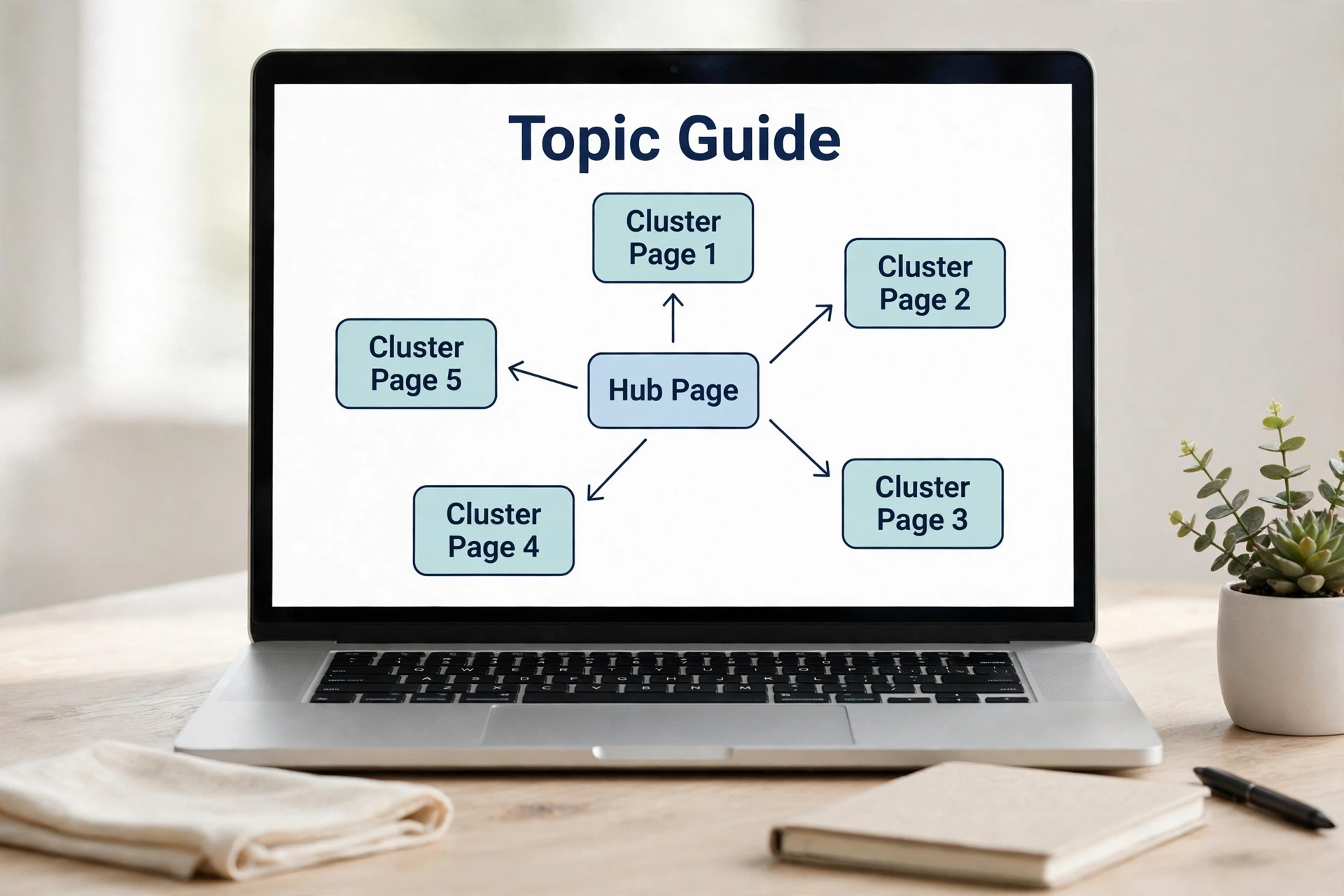
An internal linking strategy for topical authority is a deliberate plan for links between pages on one site. It names the owner page for each subtopic, the words each link carries, and where each link sits. It also sets how new pages join the map, and how old links stay sound as the site grows.
Links added by habit often leave gaps, bury key pages, and confuse readers about what matters most. This article shows the full method, from anchor words and placement to audits, orphans, and upkeep.
What an internal linking strategy is
An internal link is a link from one page on a site to another page on the same site. A crawler, software that reads web pages, follows such links to find pages and learn how pages connect.
A link map is a written record of each page, its topic, and the links that point to it. A strategy is the set of decisions behind that map, made before links are added by hand.
Links added by habit follow the newest page or the nearest mention, with no decision behind them. A tool suggestion and a related posts block are candidates only, not a strategy on their own.
This article uses four mechanisms only, and each one is a practitioner method, not a Google rule.
- Discovery: Links help a crawler find new pages through pages already read.
- Authority flow: Links from strong pages show which pages the site treats as most important for a subject.
- Context: Anchor text, the visible words of a link, and nearby words explain what the linked page covers.
- Relationships: Links between related pages show readers and crawlers how subtopics join into one subject.
How internal links shape topical authority and the limits
Discovery depends on links, since Google meets most new pages primarily through pages it has already read. Links pointing in can show which page the site treats as the owner page for each subtopic.
Google frames this point as a general rule for ecommerce sites. Pages that gather many links from inside the site are treated as more important than other pages on the site.
Anchor text tells readers what the linked page covers before they click. That context helps a crawler place the target page in the right subject.
No structure on its own guarantees a ranking, a citation, or a published authority score from Google. Google’s starter guide says no secret technique automatically ranks a site first in search results. The wider case for topical authority is in Topical Authority in SEO: How to Build It.
Google’s topic authority system, described on 23 May 2023, serves news queries in specialized areas only. It is not a general score for blogs or shops. This article treats topical authority as a pattern of coverage and linking, not as a score.
John Mueller warned in a hangout recorded on 2 July 2021 that linking every page to every other page hides structure.
Anchor text strategy in depth
The owner anchor is the main wording that names one page, kept stable across the site. Every page gets one owner anchor, so readers meet the same clear name wherever the page is linked.
A variation set holds natural rewordings that keep the core topic words, used where the sentence calls for them. Variation serves the reader and the sentence, and this article presents it as a method, not as a Google rule. John Mueller said in November 2022 that repeated anchors in menus and product links are normal and need no fix.
Google guidance asks for descriptive, reasonably concise, relevant anchor text, written in a natural way. It asks for no keyword cramming and no vague wording in link text.
The same anchor check and the intent mix check are this article’s system, with no threshold used.
- Same anchor check: One anchor wording must point to one page only, in this article’s system, with no second destination.
- Intent mix check: Anchors to one page must agree on its job, so learn, compare, and buy wording stays apart.
The sentence around a link must explain why a reader might want the linked page next. Where an image is the link, alt text, the words that describe an image, carries the same anchor job. Empty link text with empty alt text leaves Google and the reader with nothing useful to read.
| Weak anchor | Strong anchor | Why |
|---|---|---|
| click here | ceramic dinnerware sets compared | Names the linked page clearly |
| this guide | guide to choosing ceramic tableware | Names the topic and page job |
| read more | how to care for ceramic tableware | States what the reader learns |
| our products | ceramic dinnerware category page | Names the category page. |
Each rewrite keeps the core topic words, names the page, and states what the reader will gain.
The rewrites above are this article’s method examples, with no result claimed for any wording change.
Where to place a link on a page
Body links sit where a topic comes up in the main text, at the point of reader need. The hub link, a link to the pillar page, sits early where that page is named. Sibling links sit where the reader would naturally go next, to the closest related page.
Hand-picked related links serve the reader better than automated blocks, in this article’s method. Each automated link is checked page by page before it counts as a strategy. The cluster pattern behind these links is set out in Pillar Pages and Topic Clusters: The Architecture That Still Works in 2026.
No links sit side by side with no words between them, because readers cannot tell them apart. The repeat rule in this article is one body link per target per page, placed where it matters most. A closing link is added only where it serves the reader.
Two Google staff statements on placement address different subjects, and this article does not settle the conflict. John Mueller said on 21 January 2022 that he saw no quantifiable difference in link value by page location. His subject was link value by location, not the value of the words in different parts of a page.
Martin Splitt said that parts of a page are weighted differently for topic meaning. The statement came in a Duda webinar reported by Search Engine Journal on 20 October 2021.
His subject was how Google works out what a page is about. It was not a measured weight for links by zone.
One reading, from Search Engine Journal in February 2026, is that Mueller addressed link value while Splitt addressed content weighting. This article therefore places body links for reader and context reasons, not because of a claimed weight bonus.
| Zone | Job | Limit |
|---|---|---|
| Body | Context at point of need | One link per target |
| Navigation | Discovery and hierarchy | Says little about one pair |
| Breadcrumb | Path back to parents | Path, not topical context |
| Footer | Site-wide routes | Must not flatten hub roles |
| Related block | Next steps by hand | Automated picks need a check. |
Use the zone for its job, and do not ask navigation or footer links to carry topical context alone. These zone jobs are method judgments, not Google weight findings.

Click depth and link support
Click depth is the smallest number of clicks from the home page needed to reach a page by following links. Link support is this article’s phrase for the count and strength of links pointing to one page.
The three-click working rule in this article says important pages should sit within three clicks of home. That rule is a practitioner rule, not a Google rule, and it applies as a working rule only.
Deep pages tend to be crawled less often and receive less support. Read that pattern as a tendency only, not as a measured figure.
Google’s ecommerce structure page, in hedged wording, says it can use links followed to infer importance. That hedged wording gives no measured ranking effect for any site shape.
Crawl budget means the set of URLs Google can crawl and wants to crawl, and the guide covers very large sites. For an ordinary small or medium site, depth stays a question of structure and readers, not a crawl budget rescue.
| Cause | Sign | Fix |
|---|---|---|
| Chronological archives | Old pages sit deep in dated lists | Add hub and evergreen links |
| Deep category trees | Pages sit many levels down | Use category hubs, direct links |
| One place only | Page has one weak link in | Add links from related pages |
| Navigation only | Page is reached by menu alone | Add one strong body link. |
Match each cause to its fix, all as method, and check depth again after the fix is in place.
Priority pages, hub pages and the pages closest to revenue, get shallow links first.
The internal linking audit, step by step
An audit is a written record of pages and links, not a single scan that is run once and forgotten. When no internal link leads a crawler to a page, that page counts as an orphan and needs a record flag.
- List pages: List every page from the sitemap and the page list in the editor, with no page left out.
- List links: Record source page, target page, anchor text, and zone for each link found.
- Join search data: Add impressions, clicks, and average position per page from Search Console, where available.
- Assign topics: Assign each page to one topic and one owner page per subtopic, using the map already made.
- Count and mark: Count links in per page, sort lowest first, and mark click depth for each page in turn.
- Sort priority: Put pages with search demand and weak support first, then hub pages, then orphan pages.
The full map method behind topic and owner assignment is in How to Build a Topical Map for Your Niche. The Search Console Links report shows a sample of links, limited to 1,000 rows. Absence there does not prove a page has no internal links.
A crawler adds speed, while a hand list gives the same record with more time, so the audit needs no tool. Where a link is built with a script, use the URL Inspection Tool to test the live URL. Search the rendered HTML for the anchor element and its address.
Write the link map as one row per page, with topic, owner, links in, depth, and gaps shown together.
| Page | Topic and owner | Links in | Depth and gap |
|---|---|---|---|
| Ceramic Tableware Guide | Choosing tableware, owner itself | 3 in | Depth 1, no gap |
| Dinnerware Sets Compared | Choosing tableware, guide owns topic | 2 in | Depth 2, sibling missing |
| Materials Explained | Choosing tableware, guide owns topic | 1 in | Depth 2, hub link to add |
| Care and Repair | Choosing tableware, guide owns topic | 1 in | Depth 3, strong link to add. |
Keep one illustrative row for each page shown, and update the row each time a link is added or fixed.
How to find and fix orphan pages and weak pages
This article treats a page as an orphan when no site link reaches it in a form a crawler can follow. A near orphan is a page with one weak link in, from navigation only or from one old page.
Compare three lists to flag likely orphans: the sitemap list, the crawl or hand list, and the Search Console list. A page in the sitemap but not in the link list is flagged as a likely orphan only. Search Console impressions alone do not prove a link exists, and a sitemap alone does not fix an orphan.
Without a crawler, use site search for the topic, editor search for mentions, and the Links report as checks. The Links report shows which pages link to a target, but it gives no internal anchor text. The referring page field in URL Inspection is a hint only, and it may name a grandparent page, not a direct link.
Each orphan gets one of three decisions, based on whether the page is current, useful, and worth keeping.
| Sign | Decision | First link to add |
|---|---|---|
| Current and useful | Link it | Hub link plus two related links |
| Useful but dated | Refresh, then link it | Hub link after refresh |
| No value left | Merge it or remove it | Redirect to the closest related page. |
Choose one decision per orphan, and record the decision before any link is added.
Linking from the hub and two related pages is this article’s routine, not the Google minimum of one link. Where the closest related page exists, redirect the removed page to it, and use one URL for each piece of content.
A near orphan needs one strong contextual link from a related page, with an anchor that names the target. After the fix, relist the links and confirm the topic link. Remember that a sitemap entry alone does not guarantee crawling or indexing.
Linking beyond one cluster
Cross-topic links happen at hub level in this article’s method, where two subjects overlap in a way readers can follow. The link sits where the overlap comes up in the text, and cluster pages do not link across subjects on their own. Ask whether a reader on one hub would need the other hub to answer the next question well.
A cluster page links to a category, service, or comparison page where the reader is ready to decide, in this article’s method. The anchor must name the commercial page itself, not the cluster topic that led the reader there. No commercial link is forced into an early learning page, where the question is not yet answered.
In this article’s method, intent progression moves the reader one step, from learn to compare and then to buy. Each link must move the reader one step only, with no jump to a sale before the question is answered. No link is added between unrelated subjects to give a page links in, or only because a suggestion listed it.
Every new page links out to its hub and related pages, and two older pages link back to it. That routine is this article’s method, and it keeps a new page inside its subject from the first day.

Doing it without plugins
Read the draft once for topics already covered, and mark each mention that could point to an owner page. Search the editor for the page title, and use site search for the topic words in older pages.
- Choose links: Pick the owner page for each mention, check the anchor names the target, and check the sentence helps the reader.
- Add by hand: Highlight the anchor words, add the link to the live page, and check it uses a plain anchor.
- Check the address: Confirm the link is an anchor with a real address that a crawler can request and follow.
- Keep the record: Add source, target, anchor, and zone to the link map sheet for each new link.
Treat every suggested link as a candidate only, from any tool or automated suggestion, and check it by hand. Reject a suggestion where the page does not exist, the topic does not match, or the anchor names no target. Automated suggestions can name a page that was never written, or pick a closely related but mismatched page instead.
Where a script builds a link, test the live URL and search the rendered HTML for the anchor and address. A tool can list candidates, but it cannot decide the owner page, the anchor system, or the placement. Automated related blocks and auto-anchor insertion must be checked page by page before they count as a strategy.
A small-site routine is to read old posts for unlinked mentions, search the site, and add links by hand. That routine needs no plugin to run, though a link checker can speed the work on a large site.
Worked illustrative example, one cluster linked by hand
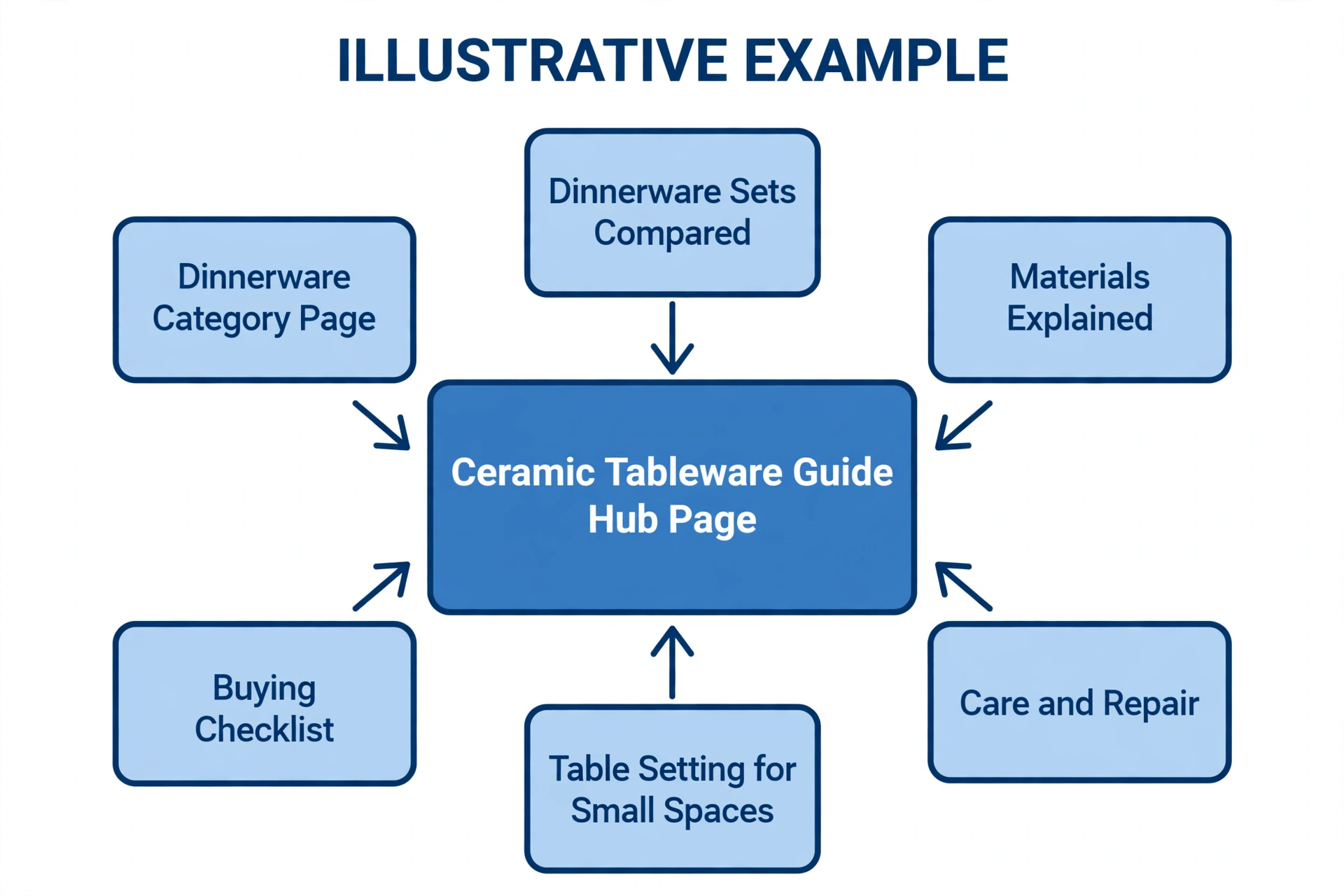
ILLUSTRATIVE EXAMPLE
This example is hypothetical, naming no real business and claiming no results for any page.
The hub is a guide to choosing ceramic tableware for everyday use, written for a hypothetical online store. Each cluster page covers one subtopic, and each page links back to the hub with a clear anchor.
The map below is illustrative only, with page roles and link wording shown, and no results claimed.
| Page | Intent and links in | Anchor example | Placement |
|---|---|---|---|
| Ceramic Tableware Guide | Learn, hub page, links in from each cluster page | choosing ceramic tableware | Body, early in guide |
| Dinnerware Sets Compared | Compare, links in from hub | ceramic dinnerware sets compared | Body, where sets are named |
| Materials Explained | Learn, links in from hub | materials used in ceramic tableware | Body, where materials are named |
| Care and Repair | Learn, links in from hub | how to care for ceramic tableware | Body, where care is named |
| Table Setting for Small Spaces | Learn, links in from hub | table setting for small spaces | Body, where space is named |
| Buying Checklist | Act, links in from hub | ceramic tableware buying checklist | Body, near the close |
| Dinnerware Category Page | Buy, links in from hub and comparison | ceramic dinnerware category page | Body, where buying is decided. |
Copy the map structure, not the page titles, and keep the commercial link where buying is decided.
Buying questions sit in the comparison page and the checklist, while care questions sit in the repair page. The hub carries the most links in, and the category link moves the reader from comparing to buying. No cost or result is stated for the store, because the example shows structure only, not outcomes.
Maintenance and measurement
A tracker holds one row per page, with topic, owner, links in, anchor check, depth, status, and last check date.
On each recheck, relist the links and check broken links, links to redirects, and links to duplicate addresses. A canonical address, the preferred URL for a page, is the address each link should point to. Fix each bad link at the final address, or remove it where no final address serves the reader.
Use nofollow only when you do not trust the source. Qualify paid links with sponsored or nofollow, and qualify user-added links with ugc or nofollow.
John Mueller said in a hangout recorded on 7 January 2022 that nofollow is not a substitute for noindex. Use noindex where a page must not appear, and check internal nofollow use as this article’s method.
At publish time, every new page links out to its hub and related pages, and two older pages link back. The tracker is updated at the same time, so the record stays true to the live site.
Measurement stays in two parts, structure measures and outcome measures, kept apart in the same tracker. Structure measures cover orphan count, depth of priority pages, links in per priority page, and bad links found. Outcome measures cover impressions and average position for strengthened pages, compared with a similar set left alone.
For fan-out evidence and citation checks, read Query Fan-Out: Why Covering Sub-Questions Gets You Cited by AI.
Give changes several weeks, compare averages across runs, and do not judge a single run alone. That hold period is a practitioner method, and Google timing guidance says some changes take several months.
No single page result proves the strategy worked, and no published authority score exists to watch. Making content findable through internal links is one SEO fundamental Google names for AI features.
A page can qualify only after Google indexes it and can show it with a snippet. That status brings no extra technical step and no promise of inclusion or citation.
The tracker below uses the illustrative example names only, to show the record shape for upkeep.
| Page | Links in | Anchor check | Depth and last check |
|---|---|---|---|
| Ceramic Tableware Guide | 3 in | Owner anchor used | Depth 1, not yet checked |
| Dinnerware Sets Compared | 2 in | Anchor names page | Depth 2, not yet checked |
| Materials Explained | 1 in | Anchor names page | Depth 2, not yet checked |
| Care and Repair | 1 in | Anchor names page | Depth 3, not yet checked. |
Use one row per page in the tracker, and update the last check date on every recheck.
Mistakes that weaken internal links
Each mistake below is a linking failure, and each fix is a strategy decision, not a writing tip alone.
- Habit links: Links left to habit, navigation, recency, or a suggestion need a decision check.
- Orphans unchecked: Orphan and near-orphan pages need a flag, a decision, and a recheck after the fix.
- Deep priority pages: Important pages buried deep need shallow links from the hub and strong related pages.
- Weak anchors: Generic, stuffed, or repeated anchors need the owner anchor and variation set for each page.
- Same anchor, new page: One anchor wording pointing to two pages needs one destination chosen in the anchor system.
- Chained links: Links chained side by side need words between them, so readers can tell each link apart.
- Bad links and nofollow: Links to redirects, broken pages, or duplicate addresses need a fix at the final address, with nofollow checked.
- Automated blocks: Automated related blocks and footers need a page check, so hub and cluster roles stay distinct.
- Forced cross links: Links forced between unrelated subjects need removal, with no link added only to fill a gap.
- Unmaintained map: A link map built once and never maintained needs a tracker and links back to new pages.
Frequently Asked Questions
How many internal links should a page have?
Add as many links as the reader needs, and no more, with no fixed count as a rule. The Google page checked for this article gives no ideal number and no link count to follow. A link from elsewhere should reach each page the owner values, placed in context that helps the reader.
Can internal linking be done well without a plugin?
Yes, use the manual method in this article, with editor search, site search, a sheet, and a publish checklist. A crawler can speed the audit, but the decisions on owner pages, anchors, and placement stay manual. No named system or tool is required, and every suggested link is checked by hand before it counts.
What should be fixed first on a site with weak internal links?
Fix pages with search demand and weak support first, then hub pages, then orphan pages. Keep the tracker updated from the first fix, so the record stays true. Give each orphan a decision, link it from its hub and related pages, and confirm the fix by relisting links.
Want help applying this to your site? Contact Imran Ali to book a free 30-minute meeting.