

Recovering Ecommerce Traffic After a Core Update

Ecommerce traffic drop recovery after a core update means reading the loss by page type first. Fix category, product, and filtered pages in revenue order, starting with the losing page types. Impressions mean how often a link was seen, or could have been seen, in search results.
A store owner must protect the pages that still earn revenue while the losing pages are fixed. This article shows the split, the category checks, the filter decisions, the product fixes, and the stock decisions in that order.
What ecommerce traffic drop recovery means after a core update
A drop after an update does not prove Google singled out one page or one site. A core update is a wide change across search systems, made several times each year to surface helpful, reliable results.
On a category page, shoppers browse products of one type, range, or use before they choose. A collection page serves the same browsing job, but a store calls the listing by another name. A product page covers one product, or variants of one product, for a shopper to buy.
Recovery is a page type method, and the pattern by page type decides the order of work. In this article, a fall in total traffic does not prove that every page type fell.
- Recovery is: A page type method that fixes losing page types first.
- Recovery is not: A rewrite of the whole catalog at once.
- Recovery is not: A template change alone, with no page type checks.
- Recovery is not: A link building plan.
- Recovery is not: A promise that traffic returns on a fixed date.
| Page type | Question to answer | Focus here |
|---|---|---|
| Category | Match main search need | Intent, copy, distinct types |
| Product | Give original shopper detail | Copy, variants, proof |
| Filtered | Serve distinct search need | Filtered view decision |
| Brand | Serve brand search need | Pattern check only |
| Blog | Answer shopper question | Pattern check only |
When catalog recovery work fits after an update, and when it must wait
Rollout is the release window shown by Dashboard dates, from the day an update starts until it ends. Check the Search Status Dashboard, and note the start date and the end date shown there. Recheck the Dashboard at reading time, as the status can change.
Google advises holding Search Console verdicts until at least a full week has passed since rollout ended. That wait rule is for judging only, and it is not a promise that traffic will return.
Rule out technical issues, security issues, spam issues with a manual action, seasonality, and site moves first. A manual action means a human reviewer found pages that do not meet spam policies. Rule out tracking faults and stock faults before you reach any verdict.
Clicks mean how often someone clicked a link from search results to a page on the site. Steady search views with falling clicks are not a ranking loss.
| Situation | Fit or wait | Check first |
|---|---|---|
| Diagnosis in outline | Fits | List pages to judge |
| Rollout complete | Fits | Note start, end dates |
| Rollout not complete | Wait | Recheck Dashboard |
| Recent data incomplete | Wait | Allow data lag |
| Own changes open | Wait | Change record |
| Manual or security open | Wait | Reports named above |
For the full post-update diagnostic, read Why Did My Traffic Drop After a Google Update? A Diagnostic Checklist. This article starts only after diagnosis is recorded in full.
The full click loss test is Traffic Drop or AI Overview Theft? How to Tell Which One Hit You. Do not fix a click loss as a ranking loss.
The audit routine and freeze context are in The 7-Day Traffic Drop Audit: What to Check Before You Change Anything. Catalog fixes must wait until diagnosis is recorded in full.
The full recovery process is Core Update Recovery: The Exact Process, Step by Step (2026). This article gives only the ecommerce page type method inside recovery.
Read the drop by page type first, before you fix any page
Open the Performance report, and read the Pages view for the pages that lost the most traffic. The Performance report shows how search traffic changes over time, and which pages and queries bring traffic.
CTR, short for click-through rate, shows clicks as a share of impressions for a row. Average position means the average place of the topmost result for one row or the site. Position alone can mislead, so never judge a page type on one position number.
Group the URLs for each page type by the part they share. For every group, compare average position, impressions, and clicks across matching windows before and after the drop. Read the queries for each type, and let each pattern name the next section.
Totals alone do not prove a cause, so check each reading against the site-level pattern. Start with the default view, then open the Last 16 months view to spot a yearly pattern. Allow for data lag, as the newest data can still change.
In Analytics, record landing page sessions, and note that sessions and clicks are counted in different ways. Open Compare and set the drop period beside an earlier period of similar length. Chart totals and table totals can differ, so read the pattern across rows.
| Page type | Pattern to record | Likely section next | What it does not prove |
|---|---|---|---|
| Category | Clicks, impressions, position | Category pages | Site-wide cause |
| Product | Clicks, impressions, position | Product pages | Filter cause alone |
| Filtered | Clicks, impressions, position | Filtered URLs | Category copy cause |
| Brand | Clicks, impressions, position | Pattern check first | Product copy cause |
| Blog | Clicks, impressions, position | Pattern check first | Catalog cause alone |
For the full comparison method, read Search Console Comparison Reports: Finding Exactly What an Update Took. This article uses only the short summary given in this section.
Category and collection pages: intent, copy, and distinct categories
Thin content is a plain language term for a page with too little useful substance for its topic. Word count alone does not prove thin content, and no word count threshold is used in this article. Duplicate content means pages that look alike in most of what they say.
Judge a losing category in this order: intent, copy, distinct intent, duplicates, range fit. Intent fit means the category answers the search need behind its main category query. Do not let one check alone decide the fix for a category.
| Check | What to look at | What it cannot prove |
|---|---|---|
| Intent fit | Main query, title, intro | Copy fault alone |
| Helpful copy | Copy that helps choice | Ranking gain alone |
| Distinct intent | Neighbouring categories | Merge need alone |
| Duplicate categories | Same intent categories | Keeper choice |
| Range fit | Products for query | Template fault alone |
Add only helpful, original category copy for a shopper choosing between the products shown. Remove or merge only a duplicate category with a clear keeper, and keep the keeper page live. Fix the title and intro only where intent fit fails.
Ask whether the copy adds fresh detail, covers the topic fully, and says more than a shopper would expect. Also ask whether a reader would trust it, and whether it adds value beyond other pages.
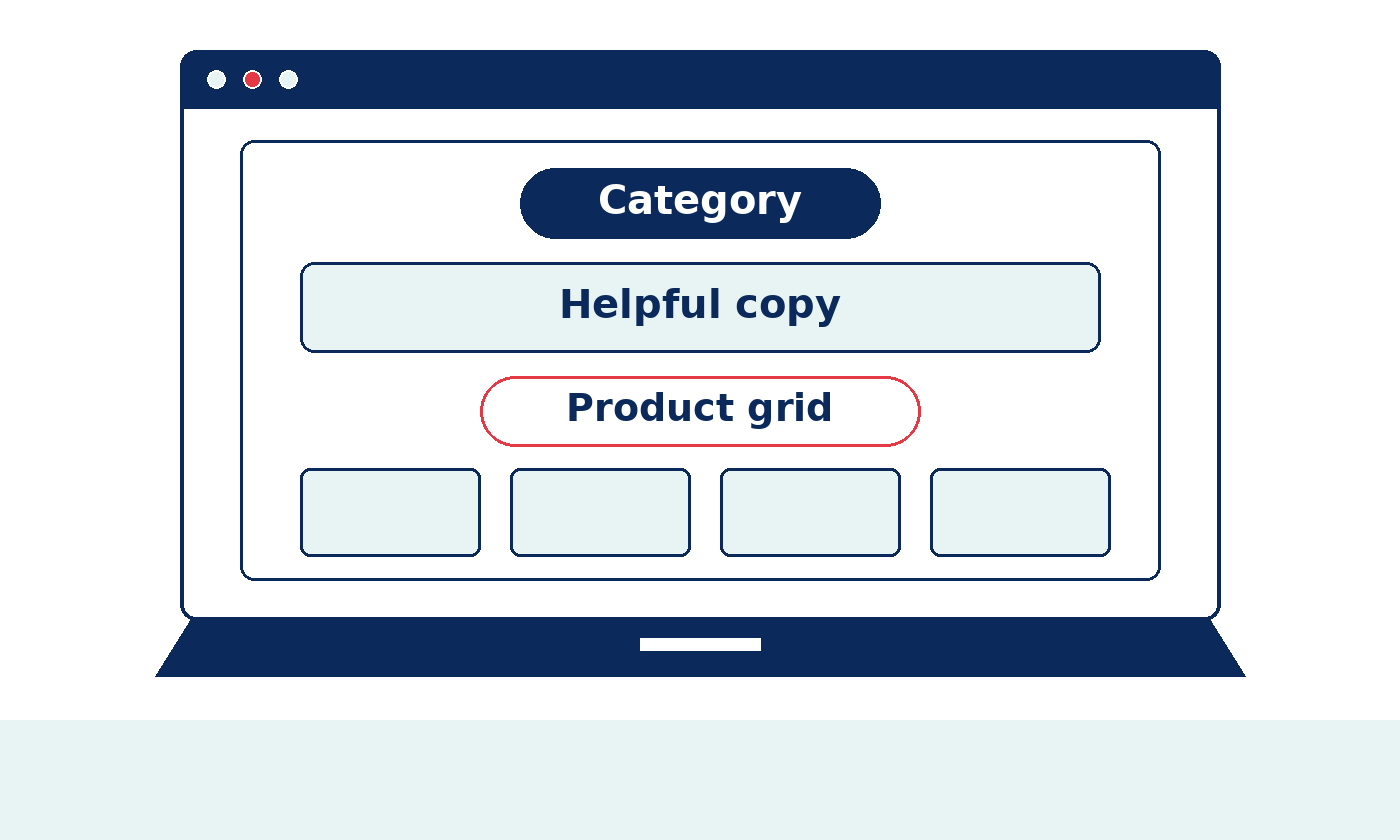
Ecommerce Category Page SEO: Templates That Rank and Sell covers category templates after recovery. This article gives no category template content of its own.
For map building on paper, read How to Build a Topical Map for Your Niche (With a Worked Example). This article repeats no step from that topical map method.
Faceted and filtered URLs: which filtered views stay, and which must not rank
With faceted navigation, each filter choice reshapes how a listing shows its items, such as color or size. Filtering leaves behind a distinct address for the narrowed set, and that address is a filtered URL. A shopping filter is not the same as a search URL worth ranking.
The canonical URL is the representative one chosen from duplicate pages. Google can still pick another page as canonical, even when a site owner names a preferred URL. Noindex keeps a page out of search results, while the page stays live.
| Filtered view pattern | Technical choice | What shoppers still see | What search systems see |
|---|---|---|---|
| Distinct demand, intent | Keep as ranking page | Full filtered page | Page can appear |
| Same as category | Canonical to category | Full filtered page | Category preferred |
| Shopper use only | Noindex, keep live | Full page, filters | Page dropped |
| No demand, no intent | Do not crawl | Full filtered page | May appear, no description |
Google must crawl a page to see a noindex rule. A robots.txt file lists the site URLs open to crawlers and the ones closed to them.
Do not block a noindexed page in robots.txt, or crawlers cannot see the rule. Search results may still list a blocked URL, but the listing usually carries no text about the page.
List indexed filtered URLs, group by filter combination, and judge demand and intent. Apply one choice per group, test the filter path as a shopper, and log each change. A noindex rule stays unseen when a robots.txt block stops crawlers from reaching that URL.
Blocking every filtered URL together removes shopper paths, and a canonical tag cannot stop crawling. If filtered URLs need not be indexed, prevent crawling and keep one unfiltered listing page.
Product pages: manufacturer copy, variants, and original detail
Judge each losing product page for manufacturer copy, original detail, and proof a reader can check. Manufacturer copy means description text from the maker that other stores may also use word for word. Ask whether the page gives original detail a shopper can use.
| Check | What to look at | What it cannot prove |
|---|---|---|
| Manufacturer copy | Same text elsewhere | Rewrite need alone |
| Original detail | Sizing, fit, use, box | Ranking gain alone |
| Proof to check | Specs, photos, reviews | Sale alone |
| Variant form | One URL or separate URLs | Form fit alone |
Shoppers pick among options for one product, such as size, color, material, or pattern, and each option is a variant. Separate URLs can hold one variant each, or one URL can hold all variants behind a selector. Canonical tags, links, and variant markup must point to the same form.
Visitors who open an old address land on a new address instead, when a redirect is in place. Two pages that must merge cannot stay separate just because a canonical tag points one way. For product merges, follow the logic in this article, not a general merge sequence.
Start with stock and technical faults, then give first rewrite slots to products facing the largest revenue and impression loss. Take the remaining products in small groups, and keep a change record for each group finished. Protect performing pages, and avoid needless changes to those pages.
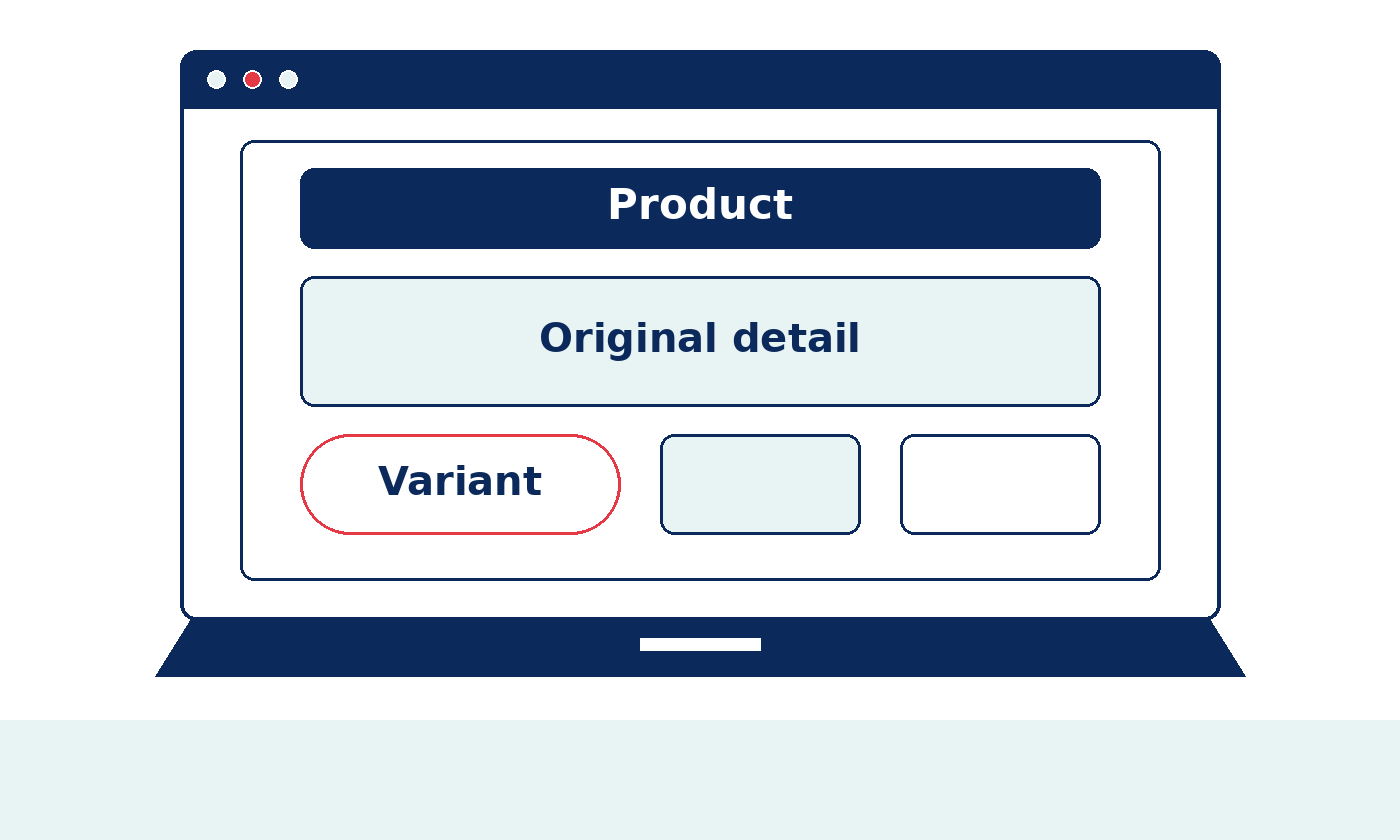
For review-style product content, short original evidence beats a long page that adds no new detail. Use evidence a reader can check, such as photos and measurements. A date change alone is not a refresh of the page.
Out of stock and discontinued products: keep live, redirect, or remove
Out of stock means a product is not available to buy now. Discontinued is the availability value used when a product will not be sold again. Check for a mismatch between the stock message shoppers read and the availability value in markup.
A sitemap lists preferred URLs to show in search results. The receiving page gains a backlink when another site points one of its own links at that page.
| Stock pattern | Action | Status and redirect step | Link step |
|---|---|---|---|
| Temporary stock loss | Keep live | Keep live, clear message | Related products |
| Discontinued, replacement | Redirect | Redirect to replacement | Links to replacement |
| Discontinued, links, no replacement | Keep live, or redirect with care | Keep live, alternatives | Record evidence first |
| Discontinued, no value | Remove after checks | 404 or 410 status | Fix links, sitemap |
Keep temporary stock pages live, with a clear message and related products. For a discontinued product with a close replacement, redirect directly to that page. In this article, never use a homepage redirect as a routine default.
For a linked discontinued page with no replacement, keep the page live with alternatives, or redirect it with care. Record the link and traffic evidence first, before either choice. That evidence-first step is article method, not a Google rule.
A soft 404 is a page that shows an error message yet returns a success status. Such pages are excluded from search, so fix any removed product page that still returns a success status. With no replacement, send 410 gone or 404 not found, then check the code the server sends.
Remove a page only after every row check is recorded. The Removals tool hides a page only for a time.
For blog or guide decisions, read Content Pruning After an Update: What to Delete, Merge, or Keep. Decisions here rest on stock, replacement, links, and traffic evidence, not on general pruning wording.
Category-to-product internal linking: help shoppers and crawlers reach the right products
An orphan page is a live page with no links pointing in from the same site. That term is used here in its plain sense, not as a Google-defined term. Such a product is hard for shoppers and crawlers to reach.
- Link categories: Link keeper categories to best products and guides.
- Link back: Link products back to the category and related products.
- List old links: List links to retired or out of stock URLs.
- Point links directly: Point each link at the keeper or replacement page.
- Remove dead links: Remove links to removed pages with no replacement.
- Check navigation: Check menus, breadcrumbs, and related modules for retired URLs.
- Check sitemap: Check the sitemap lists only live canonical pages.
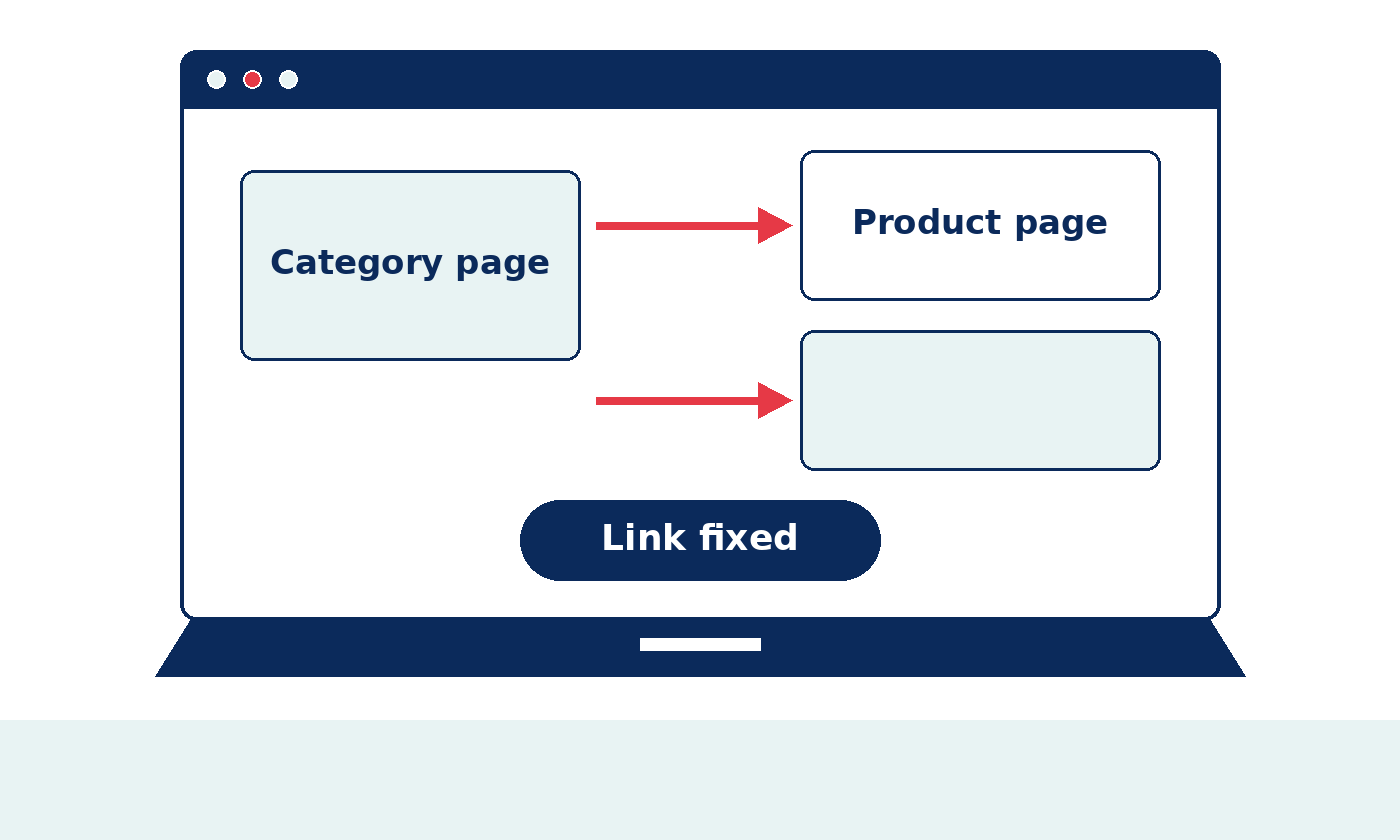
A link to a redirected URL adds an extra hop for visitors. Point each link directly at the final live URL, and update the sitemap to match. A category fix must strengthen links to keeper products, not only redirect old URLs.
Product structured data checks: what to check, and what a warning does not prove
Structured data labels page content in a set form, so search systems can read what the page covers. Product structured data is markup on a product page for richer display in results. A rich result is a more engaging result, and its appearance is not guaranteed.
For a page where shoppers can buy, use the merchant listing class. Listing pages and category pages must stay without product markup, because only product pages qualify for it. Markup must match what shoppers see on the product page.
| Field group | Check on the page | What to record |
|---|---|---|
| Name, image | Name matches, image crawlable | Missing name, image |
| Offers, price | Price, currency fields present | Missing price field |
| Availability | Value matches stock message | Mismatch found |
| Brand, description | Brand, description present | Missing brand |
| Review detail | Reviews only if held | Missing reviewer name, or review not visible on the page |
| Variant detail | Markup matches page form | Mismatch found |
A warning is noncritical in the report, and an error is critical. Neither a warning nor an error proves a ranking loss, and neither fix proves a ranking gain. Structured data does not by itself recover traffic after a core update.
Open the structured data report for the product page type, and record which pages carry warnings or errors. Fix verified warnings, test one page type at a time, and record the change. Recheck the report after recrawl, and allow time for reindexing.
Do not promise an enhanced display, and do not mark up content shoppers cannot see. Use the narrowest fitting type, and keep the markup on the same page as the product it describes.
A worked example: one category, three product decisions
ILLUSTRATIVE EXAMPLE
This section is an illustrative example only, with no real store and no real search data. Every number in the table below is illustrative, and no number is presented as a real result.
| Page type | Pattern to record | Likely section next | What it does not prove |
|---|---|---|---|
| Category | 120 clicks (illustrative), 900 impressions (illustrative), position fell | Category pages | Site-wide cause |
| Product | 40 clicks (illustrative), 300 impressions (illustrative), position fell | Product pages | Filter cause alone |
| Filtered | 15 clicks (illustrative), 200 impressions (illustrative), position fell | Filtered URLs | Category copy cause |
The category row fixes intent fit and helpful copy first, because the pattern pointed to category pages, not product pages. Because the pattern pointed to product pages, the product row prioritizes rewrite for products facing the largest revenue and impression loss. Shoppers showed distinct demand and intent for that filter, so the filtered row keeps the view as a ranking page.
Links and shopper value kept the product page live, so deletion was ruled out.
Copy the blank sheet below, and use the same columns for every page type you judge.
| Page type | Pattern to record | Likely section next | What it does not prove |
|---|---|---|---|
| Write here | Write here | Write here | Write here |
| Write here | Write here | Write here | Write here |
| Write here | Write here | Write here | Write here |
Measure recovery by page type, and recheck
Work through page types one at a time, and record reason, action, URL, and date for each change. Recheck the same fields for each page type and the store as a whole. Judge recovery from the total for a page type, rather than from one changed URL alone.
Use the same window and fields as before, and hold any verdict. Allow for data lag, seasonality, and promotions, and check the Data Anomalies page. Apply the wait rule from the fit section, and state no fixed period.
- Stage: Release one page type at a time, and then recheck the result.
- Log: Record reason, action, URL, and date for each change made.
- Recheck: Recheck the same fields for each page type and the store total.
- Hold verdict: Hold any verdict until the signal holds across the window.
For timing questions after catalog fixes, read How Long Does Core Update Recovery Actually Take? No timing figure for recovery is stated in this section.
If a full process is still needed, read the core update recovery article. That article covers the full recovery process, and this article repeats none of its steps.
What not to do on a store after a core update
Avoid the actions below, because each one harms the measurement of catalog work. The cost of each action shows in the split table or the stock table.
- Whole catalog rewrite: Do not rewrite the whole catalog at once, or performing pages suffer.
- Delete without checks: Do not delete pages without a stock and link check, or links are lost.
- Block all filters: Blocking every filtered URL together removes the paths shoppers use to narrow a listing.
- Template on all categories: Do not change every category template at once, or the cause stays hidden.
- Bulk URL changes: Do not change URLs in bulk, or links and records break.
- One total number: Do not judge recovery on one total number, or mixed patterns are missed.
- Click loss fix: Do not fix a click loss as a ranking loss, or wrong pages change.
FAQ
Should I delete out-of-stock product pages after a traffic drop?
Use the stock decision table, not traffic alone, and separate temporary stock loss from permanent removal. Keep a temporarily out-of-stock page live, with a clear stock message and related products. Remove a discontinued page only after every check in its table row has been recorded.
How do I stop filtered URLs from harming category pages without breaking shopping filters?
Use the faceted decision table, and apply one technical choice to each filtered view group. A canonical tag only suggests a preferred page, and noindex works only on a page Google can crawl. Test each filter path as a shopper before any crawl or index change, and log the change per group.
How do I know if category pages or product pages lost the traffic?
For each page type, compare average position, impressions, and clicks across matching windows before and after the drop. Use the Search Console comparison article for the full comparison method, and the recovery timing article for timing questions. This article states no fixed period for recovery, and any verdict must wait until the signal holds.
Want help applying this to your site? Contact Imran Ali to book a free 30-minute meeting.